How I Bought My First Drone
I wasn't shopping for a drone. I was shopping for a way to see the places I already love differently.
That sounds like marketing copy, but it's the honest version. I'm not a pilot, not a content creator, not a real-estate agent. I'm a tech person who hikes (twice a year, on a good year) and travels and one day realized the perspective I wanted on a coastline wasn't from a coastline. It was from fifty meters above it.
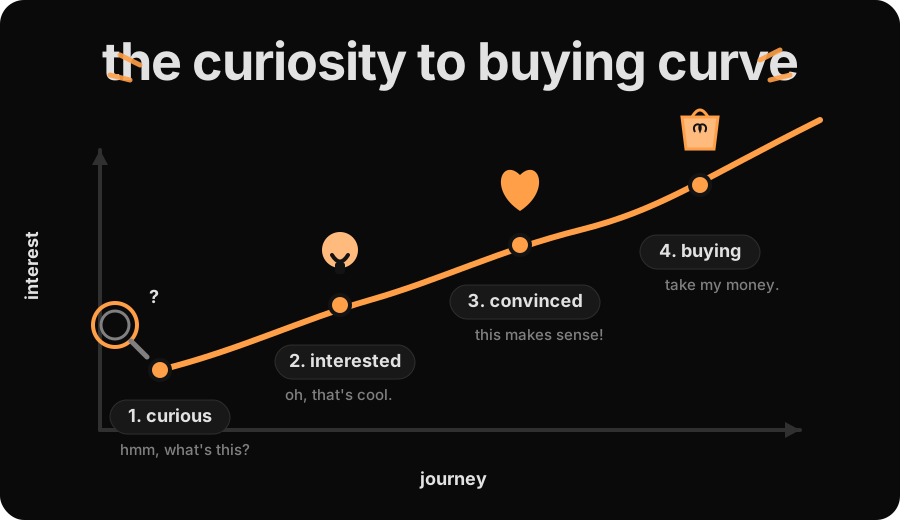
This is the decision framework I actually used, and the things nobody mentions in the reviews. If you're somewhere on the curiosity-to-buying curve, this is how I'd think about it.
The 4 factors that actually mattered
There's a long list of specs you could obsess over: how steady the camera is in the wind, how sharp the video looks, how far you can fly before the signal drops, what safety sensors it has, what file format it records in. Honestly? Most of it doesn't matter until you know what you actually want to do with the drone.
These four are the only things that actually moved the needle for me.
1. Weight: keep it under 250 grams
Most countries have a rule: if your drone weighs more than 250 grams, you have to register it with the government. Turkey, where I live, is one of them. Stay under 250 grams and you usually skip the registration, you can fly in more places.
If you can stay under 250 grams without giving up much, do it. There are great options at this weight now: the DJI Mini line, the Neo line, the HOVERAir. Going heavier just means more paperwork and a bigger drone you'll end up leaving at home half the time.
Ignore: marketing that makes "professional" sound like heavier drones are automatically better. Under 250 grams isn't a downgrade anymore.
2. Camera quality: sensor size, not megapixels
Every drone says "4K". 4K just means a sharp picture. What actually decides if the video looks good comes down to two things: the sensor and the gimbal.
The sensor is the chip that catches the light. The bigger the sensor, the more light it catches. In good daylight you won't see much difference. But in tricky light (sunset, dawn, cloudy days), the bigger sensor really shows.
The gimbal is what holds the camera and keeps it steady. When the drone shakes, the gimbal moves the opposite way to cancel it out, so your video stays smooth. "3-axis" just means it works in every direction the drone can move.
Ignore: the gorgeous demo footage in the ads. Those are pros shooting at golden hour with a lot of practice. Your first shots won't look like that, and that's fine.
3. Portability
If you bought a drone, you'll bring it on the trips that matter. That's not really the question. The real questions are how much room it eats in your bag, and how careful you have to be carrying it around. The Mini line folds to about the size of a small water bottle, slips into your daypack alongside everything else, and doesn't need its own case for a short trip. A bigger drone means a bigger bag, more padding, and that low-grade "watch out, drone in there" anxiety every time you set it down.
If you can, hold a folded one in your hand at a store before you buy. That five-second test tells you more than any spec sheet will.
4. Easy to fly: built-in safety features
If this is your first drone, you will panic at some point. Pick one with safety features built in: sensors that stop it before it hits anything, a one-button "fly back to where you took off" if the signal drops, and easy modes that handle the flying for you.
These sound like training wheels, until you're standing in a field staring up at a tiny dot. They're the difference between "the drone landed itself safely" and "now I'm hiking down a hill to find it."
Ignore: the manual controls. You're not racing drones. Start with everything on auto.
The shortlist: what I almost bought
I narrowed to three serious alternatives before landing on the Mini 4 Pro. Here's how they stacked up across the four factors:
| Drone | Under 250g | Camera | Portability | Beginner-friendly | My verdict |
|---|---|---|---|---|---|
| DJI Neo 2 | Yes | Weaker | Yes | Yes | Camera gap not worth saving |
| DJI Mini 4K | Yes | Weaker | Yes | Yes | Same shape, weaker optics |
| HOVERAir X1 Pro | Yes | Comparable | Excellent | Yes | Not stocked in my region |
| DJI Mini 4 Pro | Yes | Best | Yes | Yes | Picked |
DJI Neo 2. Cheaper, lighter on the wallet, on paper covered the basics. The camera was the deal-breaker. On top of that, it has no external SD card slot. You're stuck with the on-board storage (49GB).
DJI Mini 4K. Same form factor as the Pro, weaker optics, fewer smart features. If budget is the absolute priority, it's the value pick. For me the Pro's camera and obstacle sensing were worth the difference.
HOVERAir X1 Pro. I wanted to try this one. Palm launch, no controller, genuinely different. But it's not stocked where I live, and once you add import fees, the final price climbs well above the listed one.
The Mini 4 Pro was the only drone that checked all four boxes for me, no downside I'd regret later. If your needs are different (smaller budget, longer flight time, a zoom lens).
Your shortlist will look different too. That's fine. The four factors are what to think about; which drone wins depends on you.
What nobody tells you
The buying-guide content ends here. These are the three things I learned the hard way in the first week.
1. Your first flight will feel a bit nerve-wracking
You know how to push the joystick up. You will not know how to bring it down.
It's not the controls. It's that suddenly your $$$ drone is a hundred meters above your head, and your brain forgets where the Land button lives. Practice Return-To-Home on the ground before your first real flight.
2. The permission paradox
On day one I asked a staff member if I could fly at a viewpoint. "No drones allowed." Twenty minutes later I asked someone at my hotel, in the same town. He grinned and pulled up photos taken by drone. Of that exact viewpoint.
Here's what I took from it. Under 250 grams gives you flexibility, but airports, parks, and private property still bite. Read the actual rules for where you're flying. Once you know the rules, use judgment, not permission. Asking the first person you see is how you collect "no" answers from people who don't actually know.
Use judgment, not just permission.
3. The cost after the cost
Budget maybe $50–$150 for accessories. The only one you actually need is more SD storage. 4K fills cards fast.
Extra batteries are optional: with ~25 minutes per flight, one is often enough at the very beginning. See how often you actually fly before buying more.
ND filters are nice-to-have, not essential. They smooth out bright-light video for that cinematic look, but skip them until you care about that.
The "fly more" combo is usually cheaper than buying the same pieces individually later, so get it if your budget allows. Mine didn't, so I skipped it and I'll buy pieces individually as I figure out what I actually need.
The wrap
Pick your factors. Build a shortlist that fits them. Expect a learning curve. Budget for a bit more than just the drone itself.
I've had the Mini 4 Pro for a few weeks, every landscape now has a second view I can picture in my head. The drone is the easy part. The new way of seeing places is what you're really buying.